NeonPulse UI
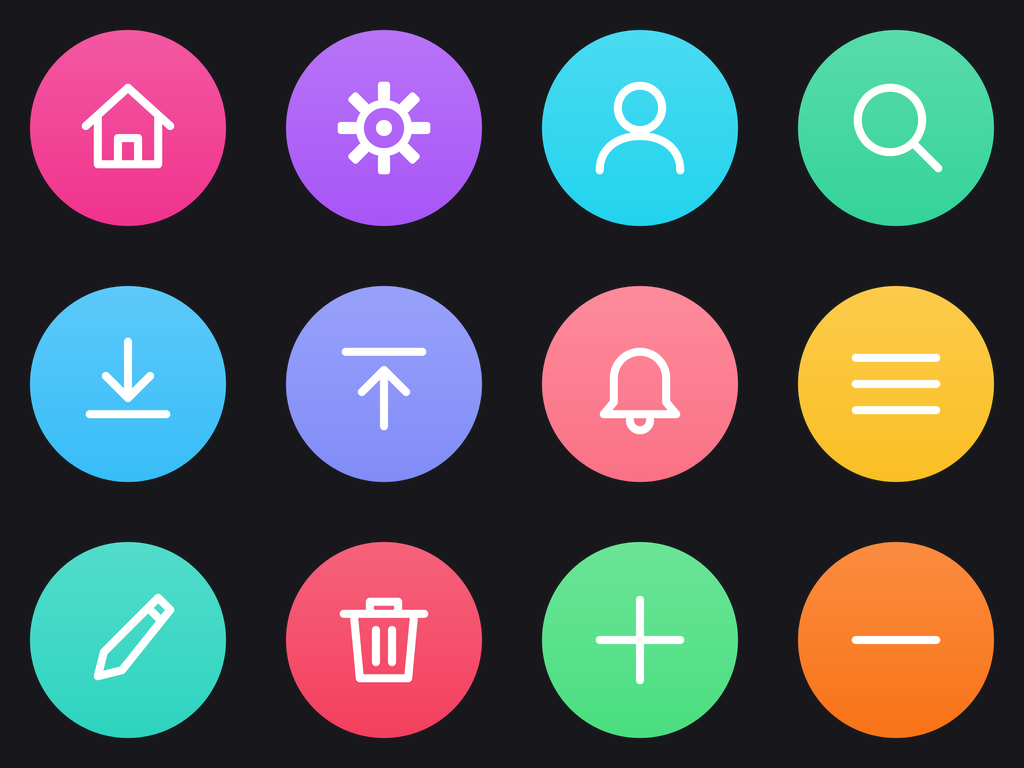
Illuminate your interface with NeonPulse UI, a collection of vibrant, glowing web elements. These icons feature a sleek, modern design with an electric neon aesthetic, perfect for adding a touch of futuristic flair to any project.
NeonPulse UI
Welcome to the NeonPulse UI icon pack! This set provides a range of essential interface elements rendered in a striking neon glow style. Use these icons to create visually engaging and contemporary digital experiences.
Format: SVG + ICO + PNG. Every icon ships as vector source in Icons/SVG/, a transparent 1024x1024 PNG in Icons/PNG/, and a multi-size Windows .ico (16-256 px) in Icons/ICO/.
Using them: drop an .ico onto a folder via Properties → Customize → Change Icon, or onto a shortcut via Properties → Shortcut → Change Icon. The SVGs are the source art for web, docs, and app UI — they stay sharp at any size; the PNGs are there for anything that can't take a vector.
Container: circle-badge — a perfect circle badge. Every icon in the pack shares it at the same scale.
Redrawn as vector. This pack originally shipped as diffusion-rendered illustrations; those renders are archived outside the repo and the icons below were redrawn as vector geometry, so they have real transparency and stay legible down to 16 px.
Icons in this pack
- Home: Represents the main landing page or dashboard.
 (.svg · .ico)
 - Settings: Represents configuration options and preferences.
 (.svg · .ico)
 - User: Represents a user profile or account.
 (.svg · .ico)
 - Search: Represents a search function or feature.
 (.svg · .ico)
 - Download: Represents the action of downloading a file.
 (.svg · .ico)
 - Upload: Represents the action of uploading a file.
 (.svg · .ico)
 - Notifications: Represents alerts and notifications.
 (.svg · .ico)
 - Menu: Represents a navigation menu.
 (.svg · .ico)
 - Edit: Represents the action of editing content.
 (.svg · .ico)
 - Trash: Represents the action of deleting an item.
 (.svg · .ico)
 - Plus: Represents adding new content.
 (.svg · .ico)
 - Minus: Represents removing or subtracting content.
 (.svg · .ico)









Prompt
Generation Prompts
Historical. These are the prompts that produced the pack's original diffusion renders, which are archived outside this repo. The icons the pack ships today were redrawn as vector geometry and did not come from an image model — see
metadata.mdfor what generated them.
- System Model: Gemini 2.0 Flash
- Image Model: Imagen 3 / Gemini 3.1 Flash Image
Pack Prompt
You are an expert icon designer and creative director. Your task is to conceptualize a cohesive icon pack based on the theme: Electric Neon Glow Web Elements.
The pack should contain 12 distinct icons that would be useful for web design, app interfaces, or OS customization.
Return a JSON object with:
- "title": A catchy name for the icon pack.
- "slug": A kebab-case slug for the pack.
- "description": A 2-3 sentence description of the pack's style and use case.
- "introduction": A short introductory text for the pack's documentation.
- "metadata": { "style": "The overall visual style (e.g., Glassmorphism, Pixel Art)", "keywords": ["list", "of", "5", "keywords"] }
- "icons": A list of 12 objects, each with:
- "name": Name of the icon (e.g., "Home", "Settings", "User").
- "concept": A brief description of what the icon represents.
- "image_prompt": A highly detailed, professional prompt for an image generation model to create a single, high-quality icon. The prompt should specify a transparent or solid background (e.g., "on a solid white background"), centered composition, and consistent style.
- "caption": A short notification caption (e.g., "A set of 12 glassmorphic web icons for modern UI.")
Ensure the "image_prompt" for each icon is consistent with the overall style.
Individual Icon Prompts
Home
Create a neon icon of a simple house shape, outlined with bright electric blue and a soft, glowing aura. The icon should be centered on a transparent background, with a clean, minimalist design. The lines should be thick and consistent, giving a sense of digital vibrancy.
Settings
Create a neon icon of a gear or cogwheel, outlined with bright electric purple and a soft, glowing aura. The icon should be centered on a transparent background, with a clean, minimalist design. The gear teeth should be clearly defined and evenly spaced, giving a sense of mechanical precision.
User
Create a neon icon of a human silhouette, outlined with bright electric green and a soft, glowing aura. The icon should be centered on a transparent background, with a clean, minimalist design. The silhouette should be simple and recognizable, representing a generic user.
Search
Create a neon icon of a magnifying glass, outlined with bright electric red and a soft, glowing aura. The icon should be centered on a transparent background, with a clean, minimalist design. The magnifying glass should have a distinct handle and lens, giving a sense of investigation.
Download
Create a neon icon of an arrow pointing downwards into a tray, outlined with bright electric yellow and a soft, glowing aura. The icon should be centered on a transparent background, with a clean, minimalist design. The arrow should be clear and the tray well-defined.
Upload
Create a neon icon of an arrow pointing upwards out of a tray, outlined with bright electric cyan and a soft, glowing aura. The icon should be centered on a transparent background, with a clean, minimalist design. The arrow should be clear and the tray well-defined.
Notifications
Create a neon icon of a bell with a small dot indicating new notifications, outlined with bright electric orange and a soft, glowing aura. The icon should be centered on a transparent background, with a clean, minimalist design. The dot should be placed in the upper right corner of the bell.
Menu
Create a neon icon of three horizontal lines stacked on top of each other, outlined with bright electric magenta and a soft, glowing aura. The icon should be centered on a transparent background, with a clean, minimalist design. The lines should be evenly spaced and of equal length.
Edit
Create a neon icon of a pencil, outlined with bright electric white and a soft, glowing aura. The icon should be centered on a transparent background, with a clean, minimalist design. The pencil should be angled slightly diagonally.
Trash
Create a neon icon of a trash can, outlined with bright electric red-orange and a soft, glowing aura. The icon should be centered on a transparent background, with a clean, minimalist design. The trash can should be easily recognizable.
Plus
Create a neon icon of a plus sign, outlined with bright electric yellow-green and a soft, glowing aura. The icon should be centered on a transparent background, with a clean, minimalist design. The lines should be thick and evenly proportioned.
Minus
Create a neon icon of a minus sign, outlined with bright electric blue-purple and a soft, glowing aura. The icon should be centered on a transparent background, with a clean, minimalist design. The line should be thick and centered horizontally.
More from Icon Packs